Friday, January 09, 2026

2026! Time for New Hobby! Beading and 3D modeling!

 Back in 2021, yea during the covid era, I bought 11000 Hama Beads in various colors, because you need various colors to work with.  I bought a box that already have all the colors but the box got smashed, all the color got mixed up.  I spent days separating the beads by the colors using chopstick (what do I have to use tweezer if I have chopstick?).  I got traumatized I don't even want to look at the hama beads even today.

But beads look fun right? It's 2026, a new year, time for revisiting the beads,  Not hama beads, I chose miyuki beads, or to be precise the cheap version of it, glass beads.  I bought 4 books, 3 books use peyote technique while the other one use loom technique.  Since Aneka Benang sell the loom, of course the first method that I try is the loom beading technique.  It's a bad habit of mine actually, I impulsively buy tools and supplies so I can blame the tools if I failed to learn.  It wasn't easy and I wasn't sure I had fun but I think the loom waste a lot of thread.  See, I already blamed the tools.

But it is 2026!  There are 3D printers!  And I couldn't believe myself, instead of using the peyote method, I tried to make the loom by myself using 3D blender.  If you know me well, I don't like 3D, my specialty is in 2D.  It is not a secret, I am a design teacher, and last year I was the secondary instructor for some 3D class when I know nothing about 3D.  Aesthetically, I like 2D and pixel art.  I rarely play 3D games with first person view because I get motion sickness.  Thanks to the 3D class where I was supposedly the teacher (and of course thanks to the primary instructor who did almost everything), I learn a little bit of 3D.


The first prototype which works but I got greedy thinking that I can make it prettier

the third prototype which is not the last


So I made a loom using blender, the first one looks like a castle wall, it is sturdy and printed cleanly but the sides made it hard to put a finger underneath the beads.  But it works and I like the size.  So the second version, I tried to improved the experience, by only making the loom on 2 sides, and made the loom a little bit rounded.  I was proud about the design but I made the hinge too small LOL.  Because I didn't use the right scale.  The third one supposedly the final one.  I made it perfectly, scaled, measured...Someone even ask to buy it.  But... the thread slipped because of the curved edge doesn't have enough grip.  one part fell apart. And the size is too small.  I intentionally made the size small but it is too small for the project that I want to do.   The loom from Aneka Benang is not wide enough, while my loom is not long enough.

My Teacher ID card, because I love my job?


I guess I need to fix my loom prototype again, but 3D print is not that cheap.  Meanwhile, as I mentioned early in this post, I am using the cheap glass bead, the glass bead size is not uniformed, it looks okay as an artwork, I mean I like that it looks imperfect, but as a product to sell (not that I want to sell it), I think I need a more uniformed beads. Just like when making amigurumis, I never know how much I like pure cotton yarn before I tried milk cotton.  I need to try to do many things with various beads to find out which one is the best for me.

Now I don't know which one I like the most, beading or prototyping the loom?

Friday, December 19, 2025

Cooking Mama

 There is a decision that I made almost daily but never gets easier: what to eat?

This is a serious concern, especially for women.
When I stayed at the boarding house, there were many times I got too focused on my part time job that I forgot to get meal for dinner and ended up with oatmeal as dinner.
Now that I am back at home, there is enough food but still deciding what to eat is difficult.

So I asked Gemini AI to make me a script which will give me random answer to the question "what will we eat today?"
Again, the Gemini is witty, it adds a little bit of "act", but of course the sample is always with crocodile.

here is the original script:

#!/bin/bash

# --- THE GURU'S MENU ---
# You can add or remove food items inside the brackets below.
menu=(
    "Nasi Goreng"
    "Cheeseburger & Fries"
    "Spicy Ramen"
    "Pepperoni Pizza"
    "Chicken Satay"
    "Sushi Platter"
    "Gado-Gado"
    "Steak"
    "Tacos"
    "Dim Sum"
    "Fried Chicken"
    "Caesar Salad (Healthy!)"
    "Pad Thai"
    "Grilled Cheese Sandwich"
    "Beef Rendang"
    "Pasta Carbonara"
)

# --- THE GURU'S BRAIN ---
# Count how many items are in the menu
num_items=${#menu[@]}

# Pick a random number between 0 and the number of items
random_index=$((RANDOM % num_items))

# Select the food at that index
chosen_food=${menu[$random_index]}

# --- THE DISPLAY ---
clear

echo -e "\033[1;32m" # Turn text Green for the Crocodile
cat << "EOF"
       _     _
      / \   / \
     ( o ) ( o )
      \ /___\ /    < "HELLO!"
       (  ^  )
       /  -  \
      /_______\
     (__)   (__)
EOF
echo -e "\033[0m" # Reset color

echo ""
echo "🐊 GURU CROCODILE IS MEDITATING..."
echo "   You ask: 'Oh Guru, what shall I eat today?'"
echo ""

# Add a little suspense
sleep 0.5
echo -n "   Consulting the swamp spirits"
sleep 0.5
echo -n "."
sleep 0.5
echo -n "."
sleep 0.5
echo "."
echo ""
echo ""
echo "==========================================="
echo -e "   THE GURU SAYS: \033[1;33m$chosen_food\033[0m"
echo "==========================================="
echo ""

Because it is about food, it reminds me of Cooking Mama, the Nintendo DS game.  On the game, the Mama always ask "what do you want to eat?" then it will guide the player to cook the meal.  Well, my mom, is a really good cook but an angry one, she hates to cook and kitchen is like a war zone.  So instead meditating to get the answer, my mom would smash the plates.

I designed the ASCII art of Cooking Mama on mac's note. It is not ideal for ASCII art because the spacing is different but good for "sketching". 

it looks like Billy the puppet from Saw.

Later I fixed the drawing directly on micro journal.


I still don't know the easy way to change colors, or how to make it centered in the middle but I kinda happy with this script. 


Horoscope

When I was looking for fun stuff to do with linux debian, The Gemini AI mentioned about cowsay + fortune.  It gave me idea, instead of random quote, how about making a fortune cookie?

It was basically the same thing.  Because unlike to what I believe,  fortune cookie gives wisdom advice not really a fortune telling. So no. I don't want it, I want it to tell me my horoscope, even if it is scripted.  The thing is, my horoscope sign would never change, so I got inspired by Alice in Borderland season 3.  How about it measures the luck to small, medium, and big luck?  
Like a horoscope, there are health, wealth and romance, so every component will have some score and the total decide the size of the luck.

So here is the script:
!/bin/bash

# --- HELPER FUNCTION: DRAW STARS ---
# This function takes a number (1-5) and prints a star bar
# Example: Input 3 -> Output "★ ★ ★ "
get_star_bar() {
    local count=$1
    local bar=""
    for ((i=1; i<=count; i++)); do
        bar+="★ "
    done
    echo "$bar"
}

# --- THE ROLL ---
# Generate numbers between 1 and 5 for each component
romance=$(( ( RANDOM % 5 ) + 1 ))
wealth=$(( ( RANDOM % 5 ) + 1 ))
health=$(( ( RANDOM % 5 ) + 1 ))

# Calculate the total score
total_score=$(( romance + wealth + health ))

# --- THE DISPLAY ---
clear
echo "🔮 GAZING INTO THE CRYSTAL BALL..."
sleep 1
echo ""

echo "   -------------------------------"
echo -e "   💖 ROMANCE : \033[1;35m$(get_star_bar $romance)\033[0m" # Purple
sleep 0.5
echo -e "   💰 WEALTH  : \033[1;33m$(get_star_bar $wealth)\033[0m"  # Yellow
sleep 0.5
echo -e "   🌿 HEALTH  : \033[1;32m$(get_star_bar $health)\033[0m"  # Green
echo "   -------------------------------"
echo ""
sleep 0.5

# --- THE VERDICT ---
echo -n "   CALCULATING DESTINY..."
sleep 1
echo -e "\r                          \r" # Clear line

# Logic based on total score (Min 3, Max 15)
if [ $total_score -eq 15 ]; then
    # GREAT LUCK (Total 15)
    title="🌟 YOU HAVE GREAT LUCK! 🌟"
    color="\033[1;33m" # Bold Yellow
    art=$(cat << "EOF"
   [ PLACEHOLDER: GREAT LUCK ART ]
         \o/  \o/  \o/
          |    |    |
         / \  / \  / \
EOF
)

elif [ $total_score -ge 11 ] && [ $total_score -le 14 ]; then
    # GOOD LUCK (Total 11-14)
    title="✨ GOOD LUCK ✨"
    color="\033[1;36m" # Cyan
    art=$(cat << "EOF"
   [ PLACEHOLDER: GOOD LUCK ART ]
           \o/
            |
           / \
EOF
)

elif [ $total_score -ge 6 ] && [ $total_score -le 10 ]; then
    # MEDIUM LUCK (Total 6-10)
    title="🌥️ MEDIUM LUCK 🌥️"
    color="\033[1;34m" # Blue
    art=$(cat << "EOF"
   [ PLACEHOLDER: MEDIUM LUCK ART ]
            o
           /|\
           / \
EOF
)

elif [ $total_score -ge 1 ] && [ $total_score -le 5 ]; then
    # SMALL LUCK (Total 1-5)
    title="🍃 SMALL LUCK 🍃"
    color="\033[0;37m" # Grey
    art=$(cat << "EOF"
   [ PLACEHOLDER: SMALL LUCK ART ]
           _
          ( )
           |
EOF
)

elif [ $total_score -eq 0 ]; then
    # BAD LUCK (Total 0 - Very rare/Impossible with standard 1-5 dice)
    title="⛈️ BAD LUCK ⛈️"
    color="\033[1;31m" # Red
    art=$(cat << "EOF"
   [ PLACEHOLDER: BAD LUCK ART ]
          /!\
         (>_<)
EOF
)
else
    # Fallback
    title="🔮 MYSTERIOUS FATE 🔮"
    color="\033[0m"
    art="   [ ? ]"
fi

# --- PRINT RESULT ---
echo -e "${color}"
echo "$art"
echo ""
echo "   $title"
echo -e "\033[0m" # Reset
echo ""


AI is very helpful in creating script like this but not so good in creating ASCII art, somehow the machine doesn't understand how to generate image from text using text again.  It's illogical for AI to translate series of character as limb, and the same character as part of the head. So I asked the AI to make placeholder for the ASCII art and making the ASCII art by myself.  The shell script from Gemini is using emoticon that doesn't work on this version of linux so you can delete and replaced it.

It would be cool if I know the kanji just like in Japanese' s fortune paper, but I don't, so I put pictures of my dog, Jembross.  It would make more sense with a picture of cat (Manekineko), but no, I like my dog.


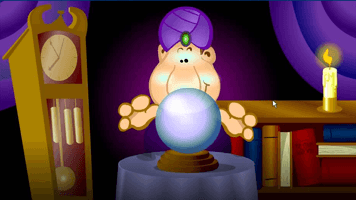
Ask Guru Joe

 When I ask Gemini AI what the fun thing to do with linux terminal, it suggested me to install cowsay.  It generate an ASCII art of a cow that is quoting what you have written.  It is cute, useless and fun.  The Gemini also teach me how to combine cowsay with fortune, so the cow now can say random quote from famous people.  Okay, that's interesting... but not for me.  Can I have a flamingo or crocodile instead of cow? and FYI, there is a way to change the cow to another animal

Anyway, I like reading quotes, I like quoting quote for my teaching material but somehow I don't want it in my micro journal.  I need something stupid as a stress relief so...

Instead, I ask the Gemini to make something similar, about a character randomly answer yes or no.  Like the magic 8 ball or Ask Guru Joe.

Ask Guru Joe is a flash game I used to play with my sisters. It was very iconic and we love to ask stupid questions to Guru Joe.  Obviously it is not as wise as the Cowsay + Fortune, but I use it more. 

Ask Guru Joe the flash game

My version of Ask Guru Joe


Here's the script.  Again, the Gemini AI still remember that ask for crocodile image so it gives me crocodile on every shell script that I ask.

#!/bin/bash

# 1. Define the Answers (Add as many as you want!)
answers=(
"Yes, absolutely."
"My sources say NO."
"The stars are not aligned."
"Why are you asking me? I'm just a script."
"It is certain."
"Don't count on it."
"Ask me again after a coffee."
"404: Answer Not Found."
"Yes - but you won't like the outcome."
"Outlook good."
)

# 2. Pick a random answer
# We count how many answers there are, then pick a random number in that range.
num_answers=${#answers[@]}
random_index=$((RANDOM % num_answers))
selected_answer="${answers[$random_index]}"

# 3. The Visuals (The Crocodile Guru)
clear
echo -e "\e[1;35m"  # Pink Color
cat << "EOF"
                    .-._ _ _ _ _ _ _ _ _
         .-''-.__.-'00  '-' ' ' ' ' ' ' ' '-.
         '.___ '    .   .--_'-' '-' '-' _'-' '._
          V: V 'vv-'   '_   '.       .'  _..' '.'.
            '=.____.=_.--'   :_.__.__:_   '.   : :
                    (((____.-'        '-.  /   : :
          snd                         (((-'\ .' /
                                    _____..'  .'
                                   '-._____.-'      
EOF
echo -e "\e[0m"     # Reset Color
# 4. The Output
echo -e "\e[1;37m"  # Bold White
echo "Q: $@"
echo "---------------------------------"
echo "A: $selected_answer"
echo -e "\e[0m"


Save it as guru.sh 

Run chmod +x ~/guru.sh.

To ask a question to Guru Joe, type "~/guru.sh and ask any question"

change the underlined text to your question.


In my version, of course I change the ASCII art to an ASCII art of Guru Joe that I made by myself.  There are many ASCII art available but I don't think it is Guru Joe without Guru Joe.


Thursday, December 18, 2025

Can I have a dice?

Another fun thing to put on the micro journal:  making a dice.

Because why not?  A dice could be handy in many situations.  Back when I took my master degree, I was the oldest among my classmates (I mean, I am 6-16 years older from them), they are cool and friendly, but if there was a group assignment, who would want to be a group with an old lady who doesn't know the latest trend on tik tok? I believe my classmates are kind, they wouldn't leave me behind, but just in case...  I always bring a dice to made it looks like a fair decision, odd number means you get to be in group with this old lady.  

And it is not only for my own situation, back then I also work as a teaching assistant, and there were times when the students had to present their work but nobody wants to be the first.  So that's the time to roll a dice.  Somehow a random decision by the dice or roulette seems more fair than pointing a finger.

So of course, I ask my friend, Gemini AI to make a dice for my micro journal

here's the script:

#!/bin/bash


# --- PREPARATION ---

clear

echo "🎲 THE MAGIC DICE IS SHAKING..."

echo ""


# --- THE ROLL ANIMATION ---

# Rapidly cycle through numbers to simulate rolling motion

for i in {1..10}; do

    temp_roll=$(( ( RANDOM % 6 ) + 1 ))

    # -n prevents new line, \r moves cursor back to start of line

    echo -ne "   Rolling... [ $temp_roll ]\r" 

    sleep 0.1

done


# --- THE FINAL RESULT ---

# Pick the actual final number (1-6)

final_roll=$(( ( RANDOM % 6 ) + 1 ))


echo -e "   Rolling... [ $final_roll ]" # Lock it in

echo ""

echo "   The die hits the table!"

echo ""


# --- DRAW THE FACE ---

echo -e "\033[1;36m" # Set color to Cyan

case $final_roll in

    1)

        cat << "EOF"

   _______

  |       |

  |   o   |

  |       |

   -------

EOF

        ;;

    2)

        cat << "EOF"

   _______

  | o     |

  |       |

  |     o |

   -------

EOF

        ;;

    3)

        cat << "EOF"

   _______

  | o     |

  |   o   |

  |     o |

   -------

EOF

        ;;

    4)

        cat << "EOF"

   _______

  | o   o |

  |       |

  | o   o |

   -------

EOF

        ;;

    5)

        cat << "EOF"

   _______

  | o   o |

  |   o   |

  | o   o |

   -------

EOF

        ;;

    6)

        cat << "EOF"

   _______

  | o   o |

  | o   o |

  | o   o |

   -------

EOF

        ;;

esac

echo -e "\033[0m" # Reset color


echo ""

echo -e "   ✨ YOUR MAGIC NUMBER IS: \033[1;33m$final_roll\033[0m ✨"

echo ""


I didn't change anything from the script, as you can see, the Gemini AI is a little bit witty, it adds some conversation there and I kinda like it.  Just like usual, save it to .sh file, do that chmod +x thing and open the .sh file.


The dice on Micro Journal


Making Launcher for Micro Journal

I am already happy to work with rev.2 since it is now all pink, but I miss seeing pictures.  Micro Journal rev.2 and rev.2.1. are using text based linux so I can have a wallpaper on the screen, but I can use ASCII art right?  So I ask the Gemini AI how to add the ASCII Art, I mean, wouldn't it be cute if there is a tiny picture of a flamingo next to the ranger dashboard?  

The Gemini AI offered various solutions to make the dashboard more interesting.  Like using tmux, figlet, plymouth and many more.  Mostly involve installing an apk to micro journal and it requires network.  The previous micro journal linux firmware only connected to the internet when sharing the files, so it was tricky to install anything.  You need to download the installer first then upload it to micro journal, and some lib files potentially missing and you need to download it too.  But thankfully, the newest firmware allows the network running from the beginning.  You can try using tmux, figlet or whatever to achieve your dashboard of your dream easier now, but after some trials and errors, I prefer to use the simple solution using the shell script.

The Script from Gemini AI

The function of the script is to call an ASCII art or some text to put on the screen replacing the ranger dashboard (not permanently).  Very simple.  You can skip the #Define Colors part if you don't want to change the current color of the text or change it to any color that you want.  The Gemini is using a picture of crocodile because at first I want it to have a crocodile instead of flamingo.

Here's the script if you want to try it on your micro journal:

#!/bin/bash


# Define Colors

PINK="\e[1;35m"

WHITE="\e[1;37m"

RESET="\e[0m"


# Clear the screen for a fresh start

clear


# Draw the Pink Crocodile

echo -e "$PINK"

cat << "EOF"

       .-.   .-.

      /   \ /   \

     |  o  |  o  |

 ____|_____|_____|____

 \                   /

  \    VVVVVVVVV    /

   \_______________/

EOF


# Add a status message

echo -e "$WHITE   System Ready."

echo -e "$RESET"


As a designer, I can proudly say, AI are good in generating script but they are bad at making ASCII art.

to use the "launcher", you just need to copy the script into a text file (then save it as .sh file using Nano) or save it directly as .sh file and upload it to micro journal.

I put mine on /home/microjournal/ for easier access.  

let's say the file name is "launcher.sh", all you have to do is press "q" to go to the terminal, 

type "chmod+x ~/launcher.sh", press enter

then type "~/launcher.sh" , press enter

voila.. you can see the crocodile.

Next time you can try to modify the color, or the text, or the ASCII art.  

Micro journal has a wide screen, there might be a way to put all the image and text to the middle, but I use the simplest solution: adding spaces (using spacebar) to make all the text on the center.

For my Jurassic Park Micro Journal, I use Dino theme.


to return to the original dashboard, just type "ranger".

For my flamingo Micro Journal, I use Flamingo theme


Both the ASCII art are from https://ascii.co.uk/ while the text are also ASCII art, made using ASCII text generator.  Put the ASCII art after the ""EOF"" and before the "EOF".


What is that? Can it run Doom?

 It's a writer's deck!It looks cool!! it has linux! then what?

that's what I felt about owning microjournal rev.2

A very cool looking machines, works really well as free distraction writing tool because I was too afraid to do more with that.  The other users always mentioned how great it is to have linux on micro journal but I didn't understand how to use its potential. I would like to tinker it but what to tinker?

That question haunted me for a long time until someone on reddit mentioned we can change the color of the text.  Coincidentally my favorite color is pink so there were some extra steps required to get that pink text which involved my new friend, Gemini AI.  Some background story, I am an animator and also a teacher, I have love hate relationship with artificial inteligence, but this time I have to admit that Gemini AI did help me finding the answer to my question.  So please repeat the question again: wow, it has linux on it?  can it run Doom?

And my official (and totally scripted answer) would be: "No, it may not run Doom but it can read your fortune, tell you what to cook, and answer a yes-no question, and probably many more!"

Thanks to the journey to get the pink themed micro journal, I learned about shell script.  The default micro journal already have some shell script file to make new text document, to shut down, to share files etc. Shell script  is a file with a series of codes or commands that make the machine give you answer or respond adjusted to the condition you are giving.

once again, I am an animator, I know about script! All the character's act, situation, interaction and the sequences are all decided by the script.  In that sense, the shell script has a lot of familiarities with animation script.  The language is a little bit different, so with the help of Gemini AI, it translate my script to the shell script.  

All that I need to do is to 

1. copy the script, save it to filename.sh file, upload it to the micro journal


You can put the file on the document, but I put mine on /home/microjournal/

why.. so when I open the file on terminal I don't have to write the long directory address.

2. activate it by writing "chmod +x  ~/filename.sh" on terminal

3. open the .sh file by pressing enter, or type the   "~/filename.sh" on terminal


It would be an extra long post if I share everything in one post so I will divide the post to another posts where you can copy the shell script to your micro journal. You can access them by clicking the title.

Here are some fun stuff I made with the shell script:

1.  Launcher

Don't you miss having a wallpaper?

Flamingo Wallpaper!!!  Something like that

2. Dice

Because why not?


3.  Ask Guru Joe

Now it can answer a yes no question, don't ask complicated question.

Ask Guru Joe


4. Fortune Teller

Who doesn't like reading horoscope?

My Dog as Fortune Teller

5. Cooking Mama
There is a decision that I made almost daily but never gets easier: what to eat?
Now, a shell script can help you that.  Or ask AI, but what the fun of it?


I have some other fun things to do with Gemini and Micro Journal, I will share it here too if it works.  It's not really the narrative script I need to write for my personal project or that Academic Journal I have to write for my job, but shell script is also script and it is fun to explore what it can do.  


Saturday, December 06, 2025

Nano Drama on Hellofest 2025! My best efforts!

 I want to continue writing about micro journal because that is the reason I revived this blog but I really have a good news.

Yesterday, there was the 2025 Hellofest, the animation festival.  And like back in 2014 (WHAAAT), it has the 8 seconds film contest.  It's a unique and special category that only can be done in Hellofest.  There is almost no creative limitation to what can be told in just 8 seconds.

Back in 2014 I tried making a stop motion with my amigurumis. I made it through the final with my 8 seconds animation: Simalakama.  I didn't win but it was a very special moment for me, to watch my animations being screened in a big screen with a lot of audiences.  Hearing and watching the live reaction of the audiences reminded me that I made animations for the audiences, and it felt wholesome.

Fast forward to 2025, It had been quite a long time since the last Hellofest.  I am now a teacher, I teach animation and I really hoped my students would join the 8 seconds film contest.  But the deadline was at the same time as the mid exam. I couldn't be the teacher who ask them to finish their mid exam animation assignment and at the same time ask them to join the contest. As an animator, Hellofest is a very special festival so I shouldn't skip it, so if my student can't join the contest, I had to be the one joining the contest.

With only 9 days remained to submit the film, I suddenly got the idea.  I have been writing about micro drama for my academic research so I was inspired by it.  Instead of making micro drama, I made nano drama, the even shorter duration of drama.  I wasn't exaggerating if I said I made the animation with micro journal rev.4.  I wrote down the dialogue and plot on the tiny screen of rev.4.  I really had no time to make proper notes of the idea. With the deadline approaching I need to make quick decisions. And despite I need the F5 keys to make animation, I didn't have time to replace my keyboard and I used micro journal rev.4 for the whole animation compositing and editing process.  Oh I made a lot of  quick decisions I didn't have time to think about it.


Since my drawing and animation are so so, I thought I need to use an extra special technique to make it unique.  So I use embroidery.  It was stupid and crazy decision, I spent the whole week to embroider all the parts.  Luckily, I was alone at home so nobody witness how messy my room was.


I thought of using stop motion, which use over the top camera, but I am suck at photography.  So I used scanner.  The scanner is broken, and I don't know if anybody realized, there are dead pixels on the pictures.  The animation production was the most violent production I ever had.  I killed a cicak (house lizard) accidentally I don't know how exactly,  I found its body underneath the fabric and paper scraps.  I also almost killed the printer.  And yeah, the scanner was already half dead. And I ruined the rev.4's spacebar that I have to replaced its insert steam.  Not to mention it was tiring to embroider everything.  It was a huge damage to my wallet because I had to order extra embroidery threads and the shop sent the wrong colors.  There was also system failure when paying the voice actor.  

But. overall it was fun experience and I love to brag about the process to my student LOL. I would like to share the whole production process here but I might have to write it down for an academic journal as well so I would get publication point (ah the life of a faculty member).

Then it was announced yesterday. I won best effort award!! it's totally worth it :D.